
Editing large volumes of employee records just got easier. With the new Mass Update feature in the Benefits Reconciliation Module, you can now efficiently update multiple records in just a few clicks.
How to Access the Mass Update Feature
- Navigate to the Benefits Reconciliation application.
- Select any invoice.
- In the Employee View, at the bottom and click the Mass Update button.

What Employees Can You Mass Update?
Once inside the Mass Update tool, you can select and modify employees with the following statuses:
- Unresolved
- Manually Resolved
- In Progress
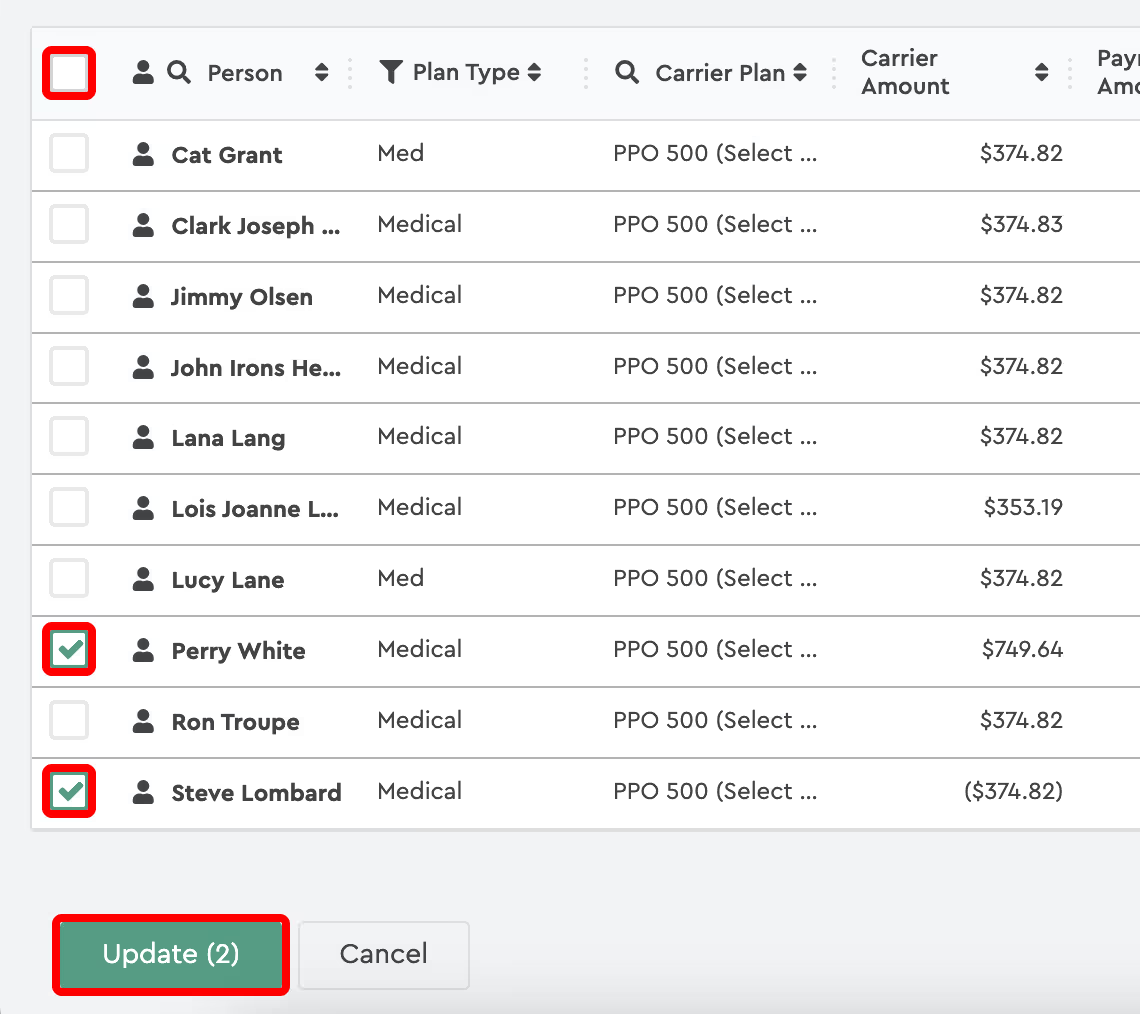
Select employees individually or use the checkbox in the column header to select all employees on the current page. If there are multiple pages, repeat the selection process for each page. The green “Update” button will display the total number of selected employees. Once your selection is complete, click Update to proceed.
Available Mass Updates
- Notes
- Resolution Status
- Color Change
Mass Updating Notes
- Check the box next to Update Notes.
- If the text field is left blank, existing notes will remain unchanged, preventing accidental overrides.
- Enter the desired text and click Update—the new notes will be applied to all selected employees.
Mass Updating Resolution Status
- Select the necessary employees.
- Choose the new Resolution Status from the dropdown.
- Click Update to apply changes.
Mass Changing Colors
- Check the box next to Color Change.
- By default, the selected color is white. If applied, this will remove any existing color from the selected employees.
- Choose a different color to apply a new highlight.
Try it today in the Benefits Reconciliation Module!