
Table of Contents

Regenerate Invoices Without Leaving the Page

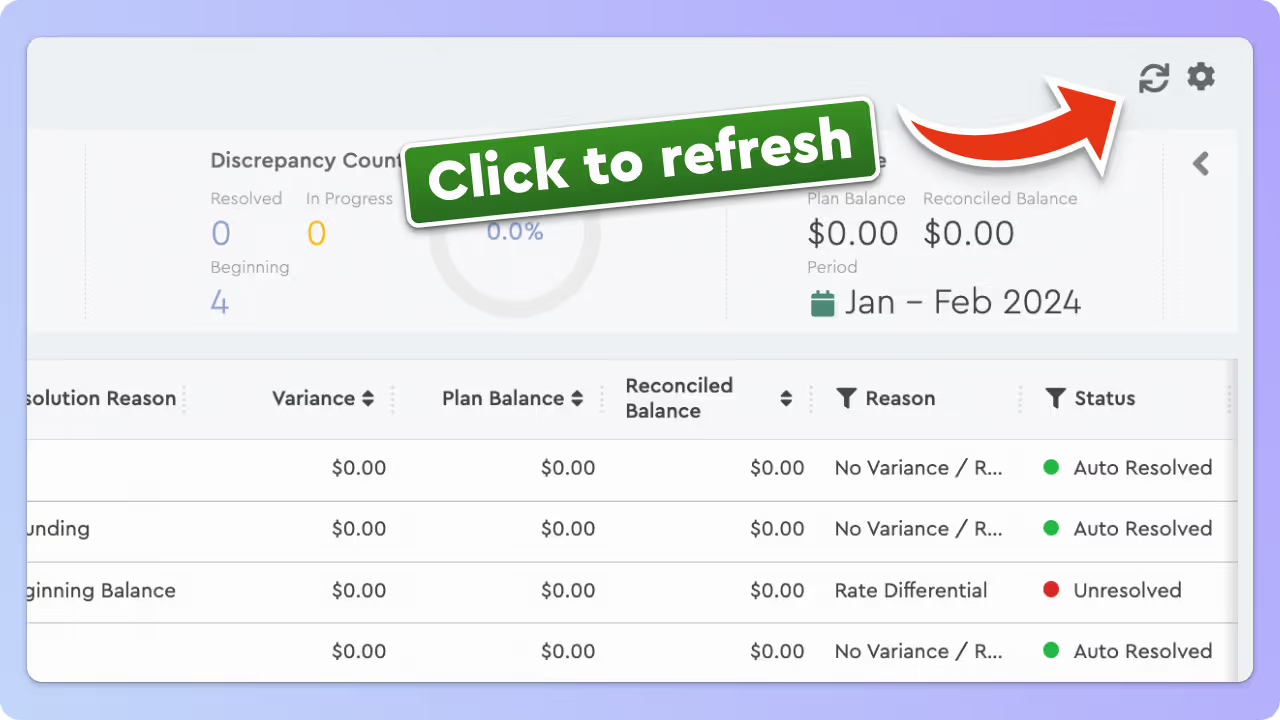
When working in the Reconciliation Module, you can now regenerate invoices directly from the invoice view—no need to go back to the invoice list.
This small enhancement removes extra steps and helps you move faster.

How-to regenerate invoice

The refresh button is located in the top right corner of the Statistical Panel, right next to the Plan Configuration button.

Andrey Brych is Head of Marketing at Tabulera, with over eight years of experience in benefits premium administration. He leads go-to-market strategy for HR and benefits technology across PEO, broker, and enterprise markets, working to bring clarity and structure to complex benefits operations. Based in Vienna, Austria.

Featured Modules

Benefits Reconciliation

Cuts Invoice Audit time by 85% and eliminates 97% of benefit write-offs.

Case Studies

Reconciling 3× more clients with the same team
US Top Senior Living Chain Cuts Benefits Premium Admin Time

Related articles

March 11, 2026

New Invoice Lock Feature

Lock an invoice to finalize reconciliation and prevent further changes such as regenerating data or applying mass updates.
February 4, 2026

February 2026 Platform Update

February platform update with improvements to benefits reconciliation, pre-pay invoice matching, variance tracking, notes visibility, and consolidated
October 13, 2025

Faster Monthly File Uploads for Large Invoice Batches

With the new drag-and-drop upload, you can now simply drop all your monthly invoice files into the platform at once.