
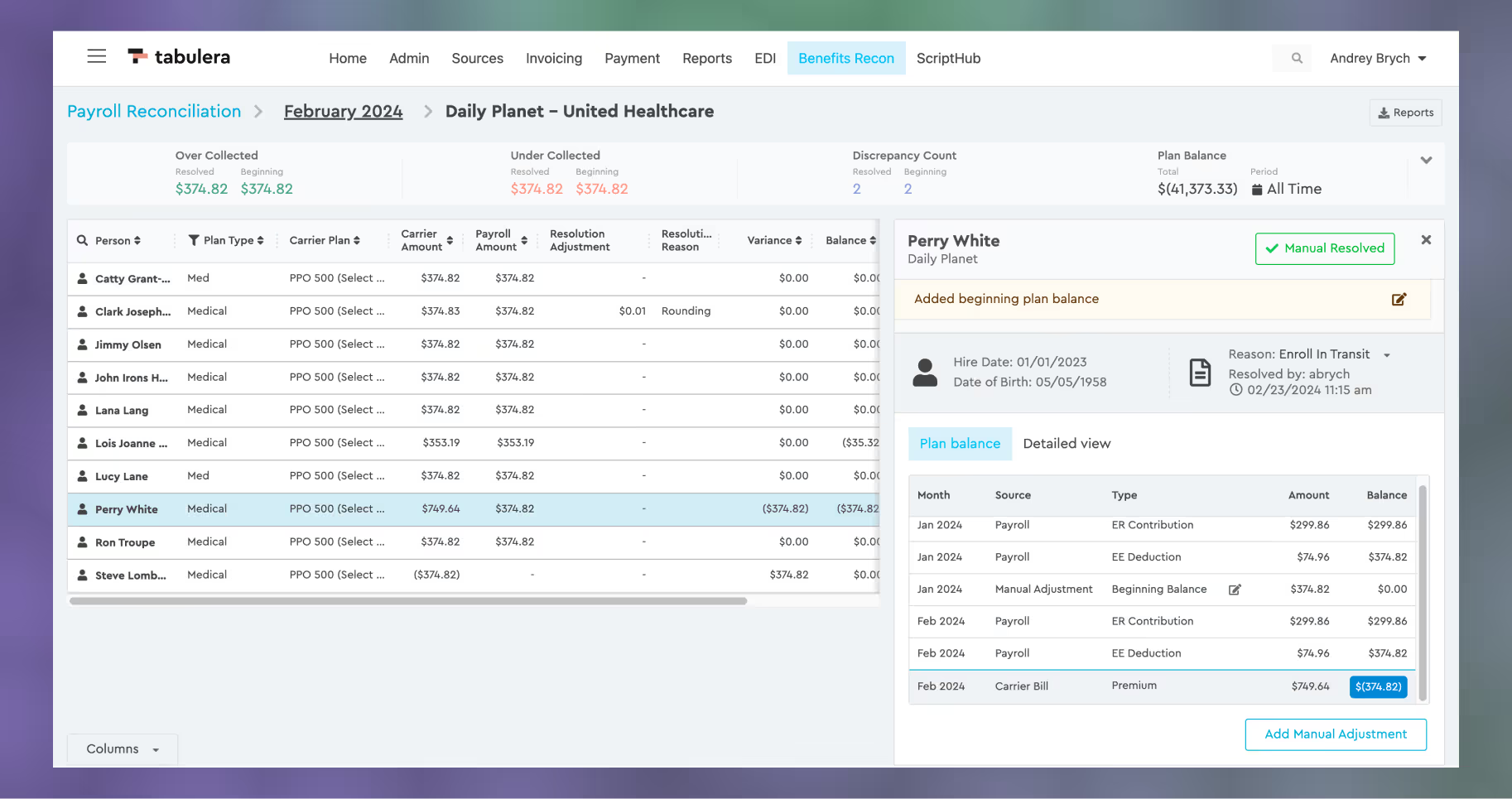
We are thrilled to announce the release of Tabulera 3.2, the latest upgrade aimed at enhancing your experience with our Benefits Reconciliation Module. This upgrade introduces several new features designed to streamline your processes and provide greater control over your reconciliation tasks.
Manual Adjustments
The “Manual Adjustments” feature provides a method for entering adjustments into the Plan Balance ledger. This feature supports retroactive adjustments (Beginning Balance) for balances prior to the conversion to Tabulera or allows for the write-off of benefit premiums.


Previous Period Resolution
This new feature allows you to resolve the current and previous month’s discrepancies with just two clicks. This means users no longer have to go through each month individually to mark the plan as resolved and add a note for each month.


Platform Guide
The most recent update now includes a Platform Guide, which explains step-by-step how to upload the source data files and how to navigate and use the Benefits Reconciliation Module. It can be accessed from the User Menu in the top right corner.


Carrier Portal Links
Invoice retrieval from the carrier portal can be a time-consuming process. This new feature allows you to automatically log in to the carrier portals and avoid the copy-pasting of login credentials. The first time you access this feature, you will be redirected to the Chrome Webstore to download a Tabulera Web Password Filler Extension. Once the extension is installed, every time you hit the button next to the carrier invoice name, you will be automatically redirected to the login page, and the login credentials will be auto-completed.


Security Improvements
2FA, or two-factor authentication, is a security measure implemented to safeguard access to the Tabulera platform. Beginning March 4th, this enhanced security feature will require every Tabulera user to provide an additional layer of authentication when logging in. In addition to entering their username and password, users will also be prompted to input a unique code sent to their registered email address.