
Dear Tabulera Users, We are excited to announce the implementation of two new features aimed at enhancing the usability of our Benefits Reconciliation Module:
Mass Actions – Generate Reconciliation Reports:
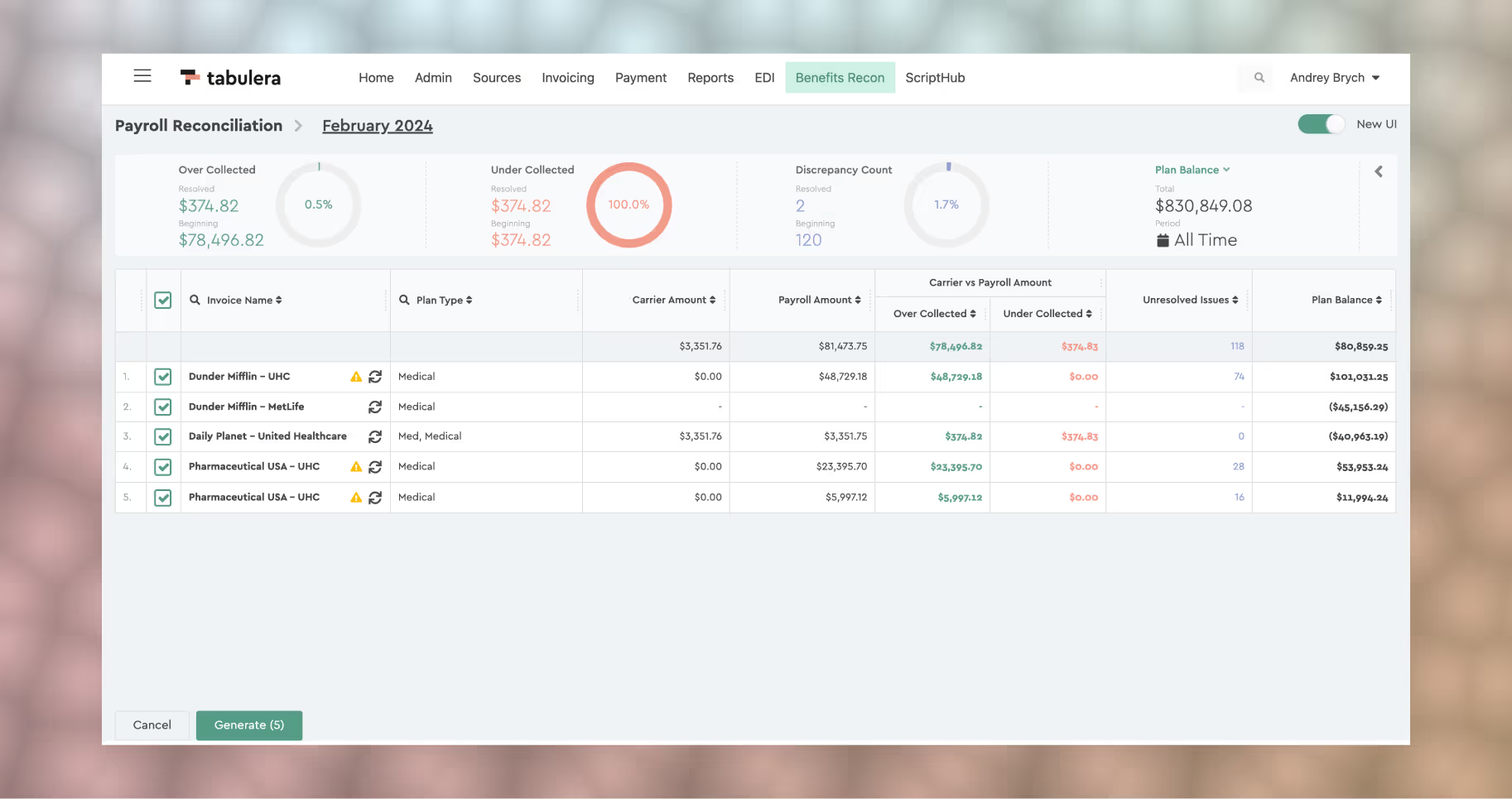
This feature empowers you to regenerate multiple or all reconciliation reports for a selected period of time with ease. No longer will you need to manually refresh each invoice after adjusting mapping configurations or uploading new invoices. To utilize this feature, simply navigate to the “Mass Actions” button located in the bottom left corner of the invoice list. From there, choose “Generate Report” and select individual invoices or use the checkbox in the table header to select all invoices. Click the “Generate” button and allow the reports to regenerate seamlessly.
Mass Actions: Beginning Balance
This feature allows for the mass entry of adjustments into the Plan Balance ledger, specifically supporting retroactive adjustments (Beginning Balance) for balances prior to the conversion to Tabulera.
To utilize this feature, simply navigate to the “Mass Actions” button located in the bottom left corner of the invoice list. Hover over “Beginning Balance” and select a “Generate Report” template. Then, either select individual invoices or use the checkbox in the table header to generate a template for all invoices. The template file will be downloaded as soon as it’s generated.
Next, open the table with Excel and enter the beginning balances from the system you’re migrating from in the last column. Ensure not to change any other values except for the last column. Once you’ve finished entering the amounts, return to the system, click on the “Mass Actions” button in the bottom left corner, select “Beginning Balance,” and upload the report. The invoice will automatically regenerate.
If you’ve made a mistake and would like to remove all the beginning balance amounts, download the template and enter “0” in the last column, then reupload it. This action will revert your previous edits. If the invoice regenerates longer than expected, please refresh the page.
Employee Status Filter:
This feature provides you with the ability to quickly display employees falling into specific categories, including:
- Active Employees
- Terminated Employees
- COBRA Employees
- Employees not registered on the platform (commonly due to missing or incomplete SSNs). To address issues with these employees, please contact our support team at client.support@tabulera.com.
To access this feature, simply click the person icon in the header of the first column in the Employee List View. Then, select the desired employee status you wish to view.

We believe these enhancements will greatly improve your experience with our Benefits Reconciliation Module. If you have any questions or require assistance, please don’t hesitate to reach out to our support team.