
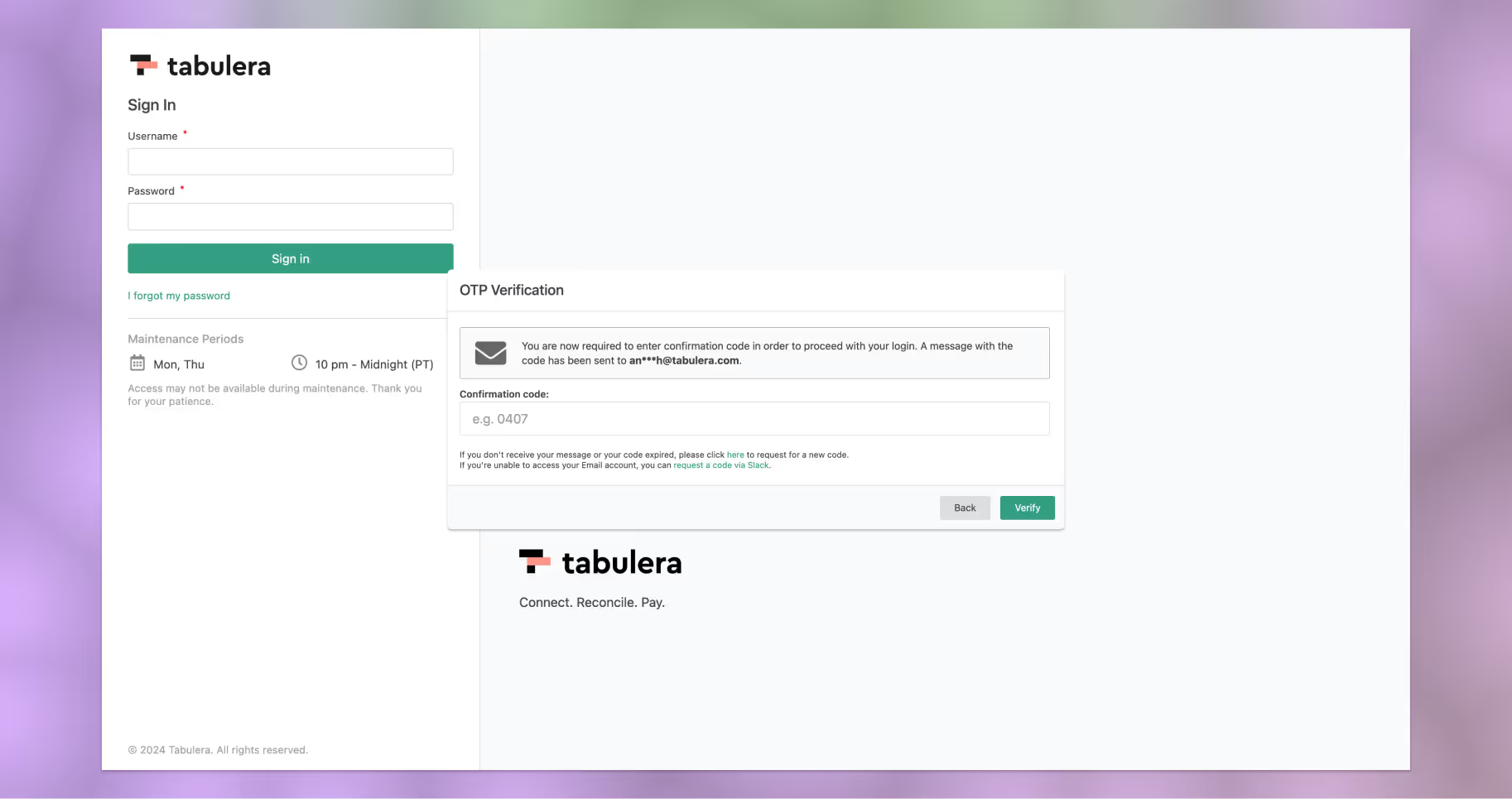
Effective March 4th, 2024, Two-Factor Authentication (2FA) has been implemented as a mandatory security measure for all users accessing the Tabulera platform. Please note that the platform will require 2FA verification every 3 hours to ensure ongoing security. This guide will walk you through the steps to login using 2FA.
Visit Your Organization’s Login Page
Begin by navigating to your organization’s designated Tabulera login page.
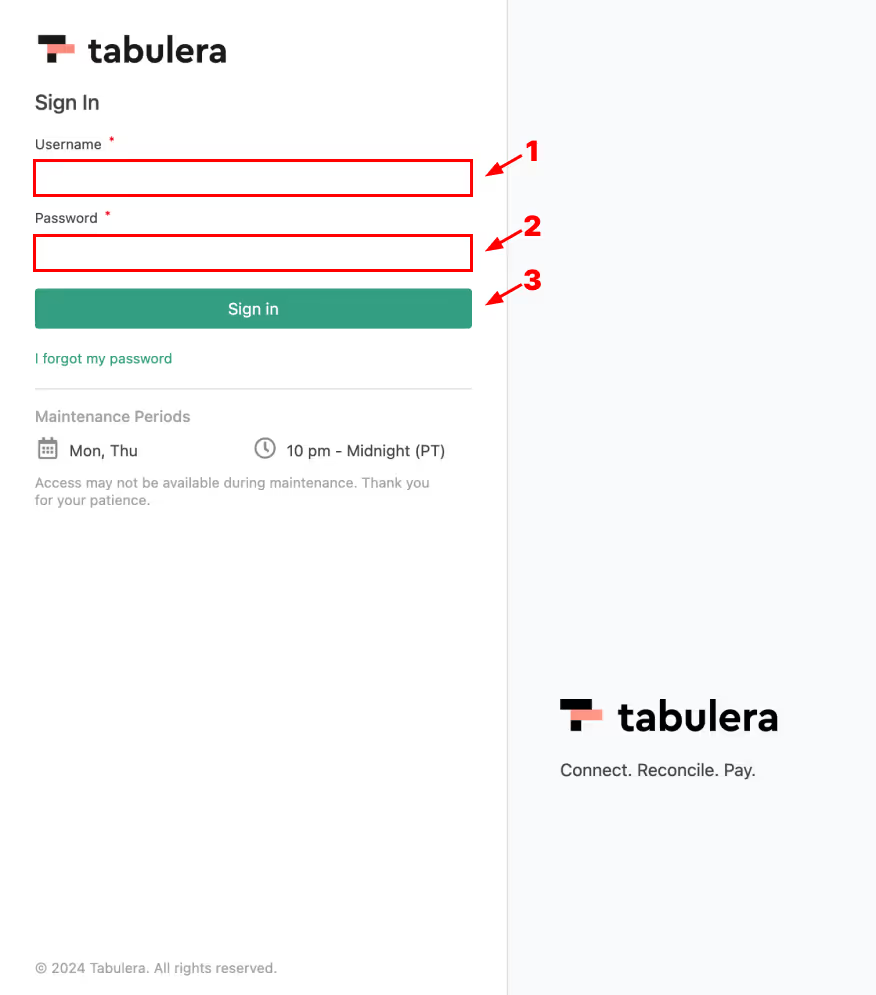
Enter Username and Password
Once on the login page, input your username and password into the respective text fields provided and click on the “Sign In” button to proceed with the login process.
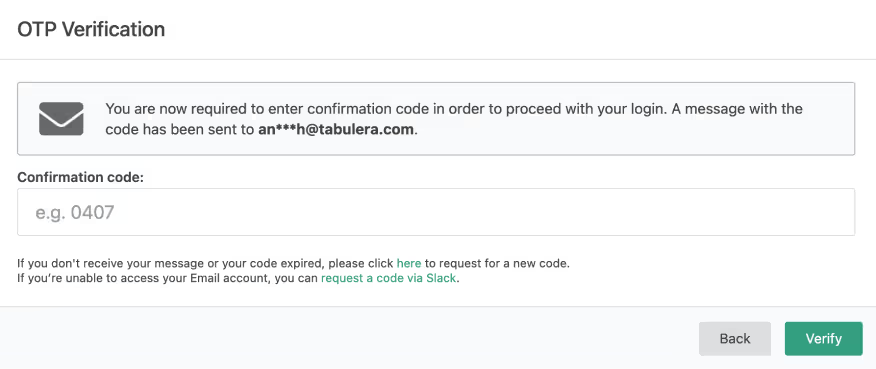
OTP Verification Popup
Upon hitting the “Sign In” button, a popup titled “OTP Verification” will appear on your screen. This popup will prompt you to enter a one-time password (OTP) for authentication.
Check Your Email
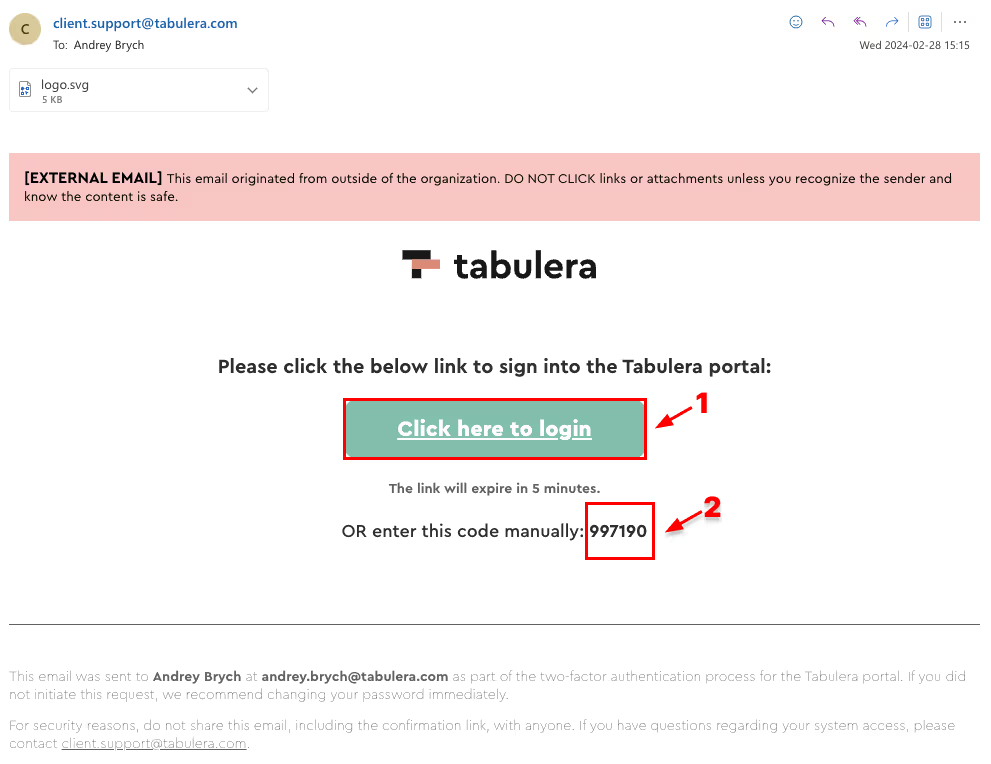
To obtain the OTP, check the email associated with your organization’s Tabulera account. You will receive an email from client.support@tabulera.com containing the OTP. The code is valid for 5 minutes.
Login Option 1
Within the email, you will find a “Click here to login” button. Clicking this button will automatically log you into the Tabulera platform without needing to manually enter the OTP.
Login Option 2
Alternatively, you can manually copy the OTP provided in the email and paste it into the text field within the “OTP Verification” popup on the Tabulera Login Page.
Complete Login
After entering the OTP, click on the “Verify” or “Login” button within the OTP Verification popup to complete the login process.
By following these steps, you will successfully log in to the Tabulera platform using Two-Factor Authentication (2FA), ensuring an added layer of security for your account. If you encounter any issues or require further assistance, please reach out to our support team at client.support@tabulera.com.