
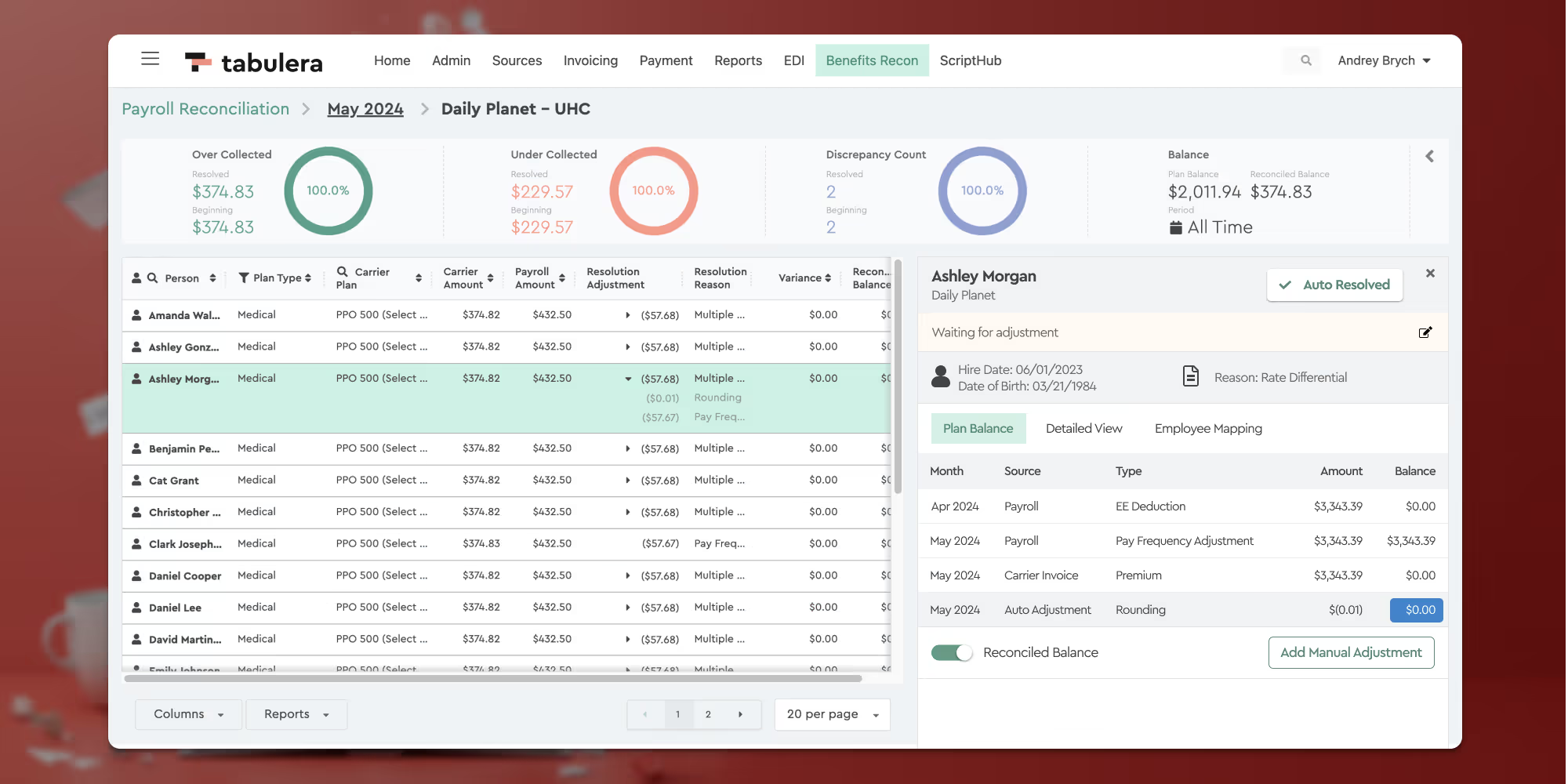
In July, we launched two important updates to the Benefits Reconciliation Module, enhancing our platform’s versatility and efficiency.
Payroll Frequency Adjustment
Companies using bi-weekly or weekly payroll deductions for benefit plan premiums require a different methodology to reconcile insurance carrier invoices. This methodology adjusts for the discrepancies that arise due to differing deduction cycles compared to the carrier invoicing cycle.
For example:
Bi-weekly payrolls have 26 deductions per year, resulting in some months having 2 and others having 3 payroll deductions. Consequently, all months will show a variance to the monthly carrier invoice. We adjust for this variance by creating a pay frequency adjustment, allowing users to see this adjustment as expected and marking it as 🟢Auto Resolved.
We have created a Reconciled Balance View that appears on the Employee Detail Panel, with all adjustments, including:
- Rounding
- Payroll Frequency
- Write-offs
- Beginning Balance
This Reconciled Balance View documents in a running ledger format how the invoice was reconciled each month.

The Reconciled Balance toggle disables the Payroll Frequency Adjustments to show the employee’s actual Plan Balance. For instance, an employee who starts deductions in a 3 payroll frequency month and terminates in the same month will show a refund owed to the employee under the Plan Balance View, but under the Reconciled Balance View, they will show a 0 balance due to a Payroll Frequency Adjustment being added to account for the expected variance.
Monthly Reconciliation Report Update
The additional Summary Reconciliation tab was added to the Monthly Reconciliation Report at the request of many of our client accounting teams. We’ve created an Excel Pivot Table to show a summary of all Adjustments and Plan Balances between the Payroll/Enrollment systems and the carrier invoices to tie these amounts to each other.
“Column C” starts with the payroll system and “Columns D – H” show Adjustment Amounts. “Column I” shows the balances created in the Employee Plan Balance View.
If you add the Payroll/Enrollment system totals in “Column C” and add the totals from “Columns D – H” and subtract the plan balances in “Column I”, this will equal the carrier invoice amount in “Column J”.
As you make adjustments, such as writing-off amounts, this report will change to reflect these adjustments.